What is a crypto wallet? Custodial vs. self-custody, explained for beginners
If you’ve bought bitcoin, you’ve probably been told you need a “wallet.” The word is confusing, because a crypto wallet doesn’t hold coins the way a leather wallet holds cash. This guide explains what a wallet really is, the difference between custodial and self-custody wallets, and how to choose a sensible setup as a beginner.
Key takeaways
- A crypto wallet stores the private keys that let you spend your coins. The coins themselves live on the blockchain.
- In a custodial wallet, such as a Coinbase account, the company holds the keys for you and can help if you lose your password.
- In a self-custody wallet, you hold the keys. Nobody can recover them for you, so a lost recovery phrase can mean lost funds.
- Neither option is risk-free. Many beginners start custodial with small amounts and consider self-custody as their balance grows.
What a crypto wallet actually is
Bitcoin’s developer documentation puts it simply: wallet programs create public keys to receive bitcoin and use the matching private keys to spend it, and wallet files store private keys. Think of the public address as an account number you can share, and the private key as the password that proves the funds are yours.
So when someone says “my bitcoin is in my wallet,” what they mean is “my wallet holds the keys that control my bitcoin.” Whoever holds the private keys controls the coins. That one idea explains the whole custodial vs. self-custody debate.
Custodial wallets: someone else holds the keys
When you buy crypto on an exchange such as Coinbase, it is stored on the platform. Coinbase describes itself as a centralized exchange that holds your crypto for you in a hosted wallet. You log in with a password and 2-step verification, and if you forget your login, the company can help you get back in.
The upside: it’s simple, support exists, and there is no recovery phrase to guard. The downside: you depend on the company. In November 2022, the exchange FTX filed for bankruptcy and customers were unable to withdraw their funds. Coinbase’s own annual report warns that, in a bankruptcy, customer crypto could be treated as the company’s property and customers as unsecured creditors, although the company says it believes a court would rule otherwise. We explain that in our Coinbase safety guide.
Self-custody wallets: you hold the keys
A self-custody wallet puts the private keys in your hands. Coinbase’s separate wallet app is an example: Coinbase says the keys are stored directly on your device, and you don’t need a Coinbase account to use it. The app was briefly called the Base app and was renamed back to Coinbase Wallet in September 2026.
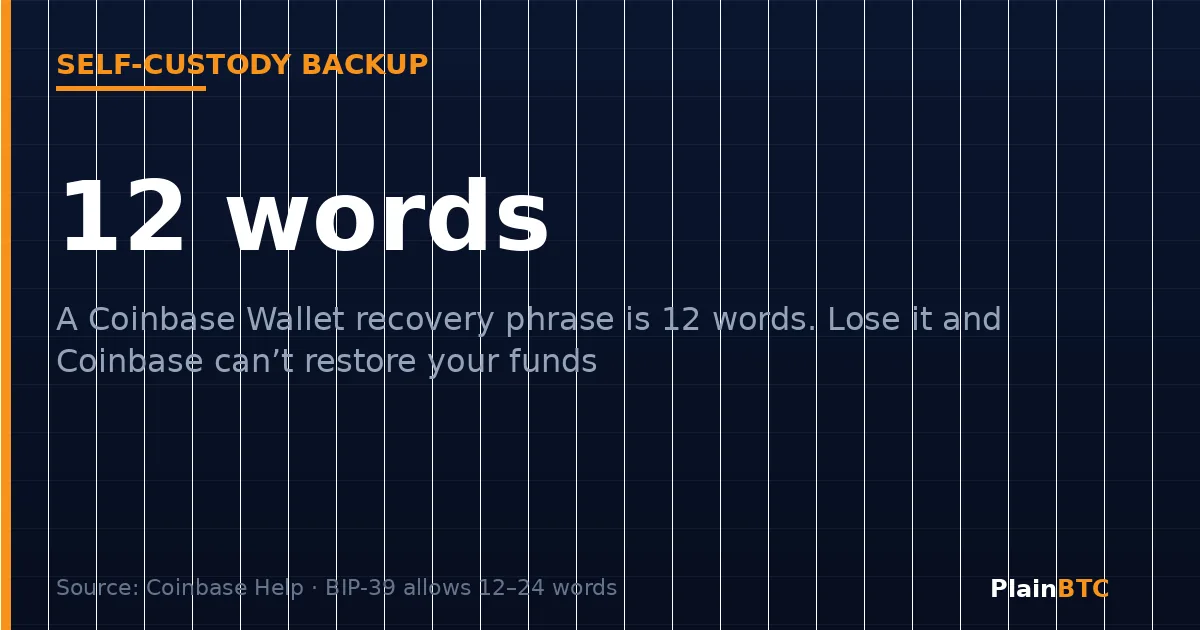
When you set up a self-custody wallet you receive a recovery phrase, also called a seed phrase. The common standard, BIP-39, creates a phrase of 12 to 24 words from which every key in your wallet can be rebuilt. Coinbase Wallet generates a 12-word phrase and says only you have access to it. If you lose it, you lose access to the funds, and Coinbase cannot move funds or help you get them back.
Hot wallets vs. cold wallets
This is a separate question from custody. A hot wallet is connected to the internet, like a phone app or browser extension. A cold wallet keeps the keys offline. A hardware wallet is the most common cold option. Bitcoin.org describes hardware wallets as one of the most secure methods and well suited to larger amounts, but warns that losing the device without a proper backup can make funds unrecoverable. Mobile and desktop wallets are handier, but a lost phone or malware can put funds at risk.
Custodial vs. self-custody at a glance
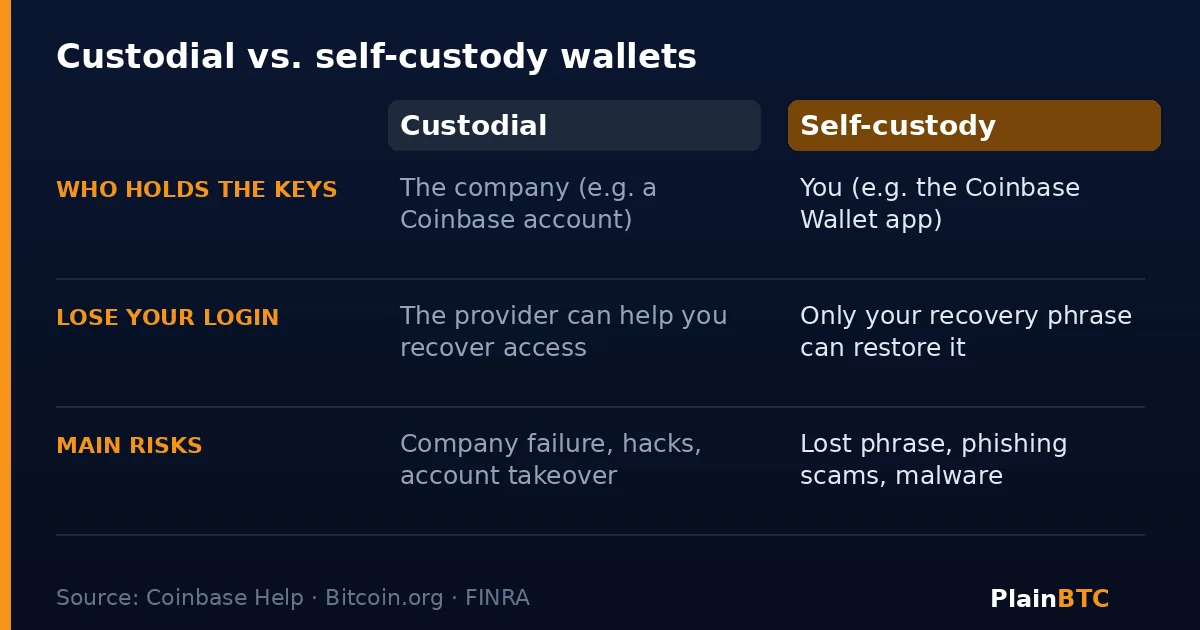
- Who holds the keys: a custodial provider holds them; in self-custody you do.
- If you forget your password: a custodial provider can usually help; self-custody has only your recovery phrase.
- Biggest risks: custodial means company failure, hacks, and account takeovers; self-custody means lost phrases, phishing, and malware.
- Best for: custodial suits simplicity and small amounts; self-custody suits people willing to take on responsibility.
Which is better for a beginner?
There is no single right answer, and this is not advice. Many beginners start with a custodial account because it is simple and supported, and keep the amount small while they learn. As balances grow, some people move part of their holdings to self-custody, with a hardware wallet or a carefully backed-up app. The key question is: which mistake can you better avoid, trusting a company or managing your own keys?
If you want to start on an exchange, you can open a Coinbase account through our referral link and follow our first-buy guide. Our guide on how much to buy can help you size it.
Wallet scams to watch for
FINRA warns that bad actors lure people into fake crypto services, and some pose as tech support for real providers or befriend victims and urge them to move their wallets. Coinbase says it will never ask for your recovery phrase. The rule is simple: anyone who asks for your recovery phrase is a thief, and once crypto is sent, it is generally gone.
How to start with self-custody safely
If you decide to try it, these steps follow common security practice, including Coinbase’s and Bitcoin.org’s guidance:
- Install the wallet from the official site or app store. Check the publisher, since fake wallet apps exist.
- Write the recovery phrase on paper. Coinbase advises against screenshots or screen recordings, and says never to paste it into a website.
- Store the backup somewhere safe. Keep it where fire, water, and prying eyes can’t reach it, and consider a second copy in a separate place.
- Test with a small amount first. Send a little, confirm it arrives, then practice restoring the wallet.
- Double-check every address. Crypto transactions are irreversible, so verify the full address before you send.
- Never share the phrase. Not with support, not with friends, not with anyone.
FAQ
What is a crypto wallet in simple terms?
It’s an app or device that holds the private keys that let you spend your crypto. The coins live on the blockchain. Whoever controls the keys controls the coins.
Is Coinbase a wallet?
A regular Coinbase account is custodial: Coinbase stores your crypto for you. Coinbase Wallet is a separate self-custody app where you hold the keys, and you don’t need a Coinbase account to use it.
What is a seed phrase or recovery phrase?
A list of 12 to 24 words that can rebuild all the keys in a self-custody wallet. Anyone who has it can take your funds, and if you lose it, nobody can restore it for you.
Can I lose bitcoin if I lose my phone?
With a self-custody wallet, not if you saved your recovery phrase safely, because you can restore the wallet on a new device. Without the phrase, you may lose access. With a custodial account, you can usually recover your login with the provider.
Is a hardware wallet worth it?
Bitcoin.org describes hardware wallets as one of the most secure options, especially for larger amounts, but it also notes they are harder to use on the go. For a small starter balance, many people don’t need one yet.
Can someone steal my crypto if they know my address?
An address is meant to be shared so people can send you crypto. The danger is your private key or recovery phrase. Never share those.
Worried about account security? See our Coinbase safety checklist.
Start on Coinbase with this referral link
Open a new Coinbase account through the link below if you are ready to begin. Eligible new users may receive a bonus after a qualifying trade; terms vary by country and Coinbase’s current terms.
Sign up on Coinbase with this linkNot financial advice. This guide is educational only. It is not investment, trading, legal, or tax advice. Cryptocurrency is volatile and you can lose money. Confirm current steps, fees, and eligibility in Coinbase’s own help center before acting, and consider professional advice for your situation.
Sources
- Bitcoin Developer Guide — Wallets
- Bitcoin.org — Choose your wallet
- BIP-39 — Mnemonic code for generating deterministic keys
- Coinbase Help — What does Coinbase do with my digital assets?
- Coinbase Help — Your Coinbase account versus Coinbase Wallet
- Coinbase Help — Coinbase wallet recovery phrase
- The Block — Coinbase rebrands Base App back to Coinbase Wallet (Sep 10, 2026)
- Reuters — Crypto exchange FTX files for bankruptcy (Nov 11, 2022)
- FINRA — Crypto assets: risks